 ArtTrails
Draw with
your feet.
ArtTrails is a GPS art generator for runs, walks and rides. Pick a shape, we snap it to real roads near you, and you go run it for real. Export to Strava, Garmin or Apple Health. Free on iPhone and Android.


Free to download · no account needed · optional Pro upgrade
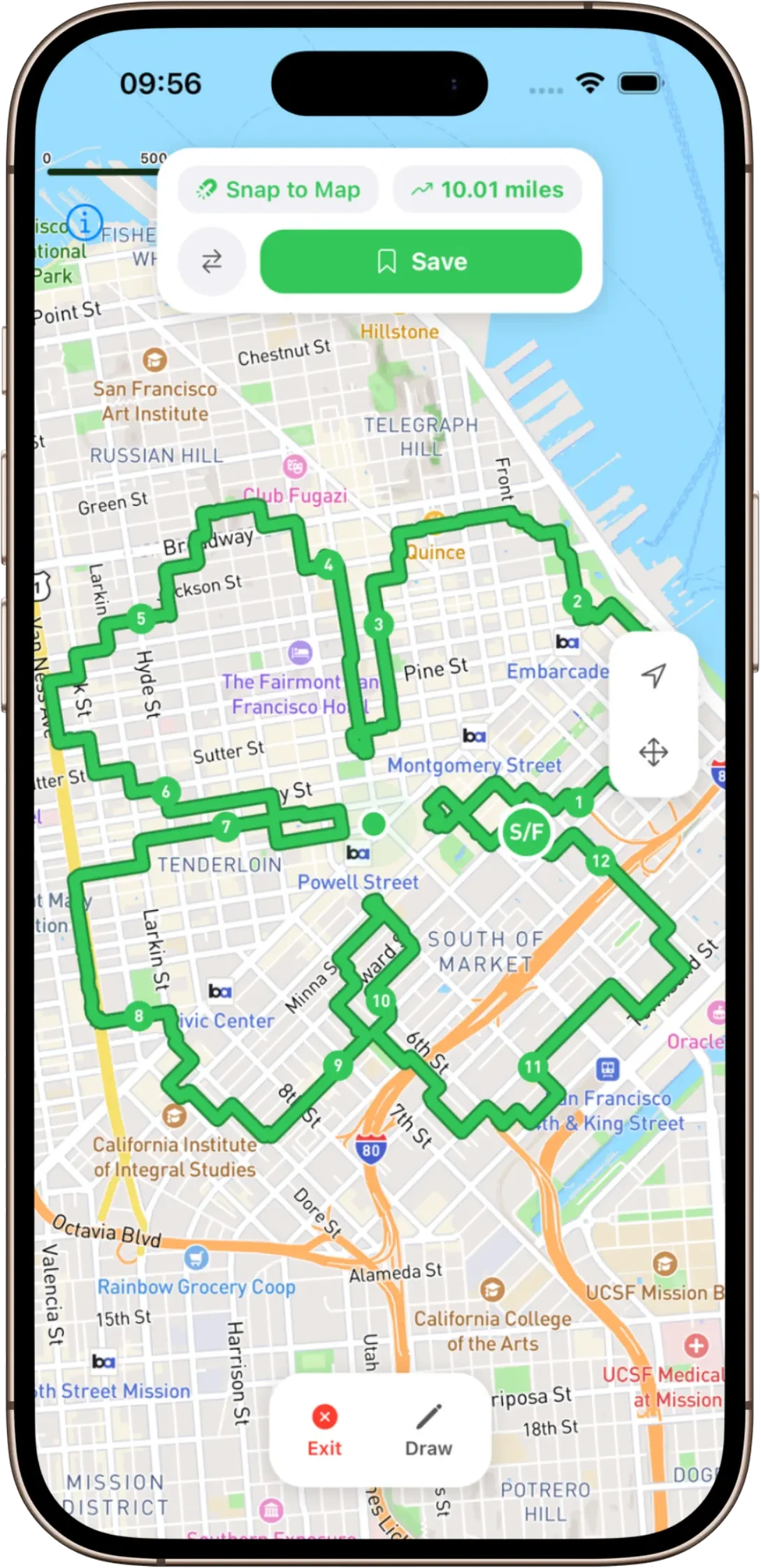
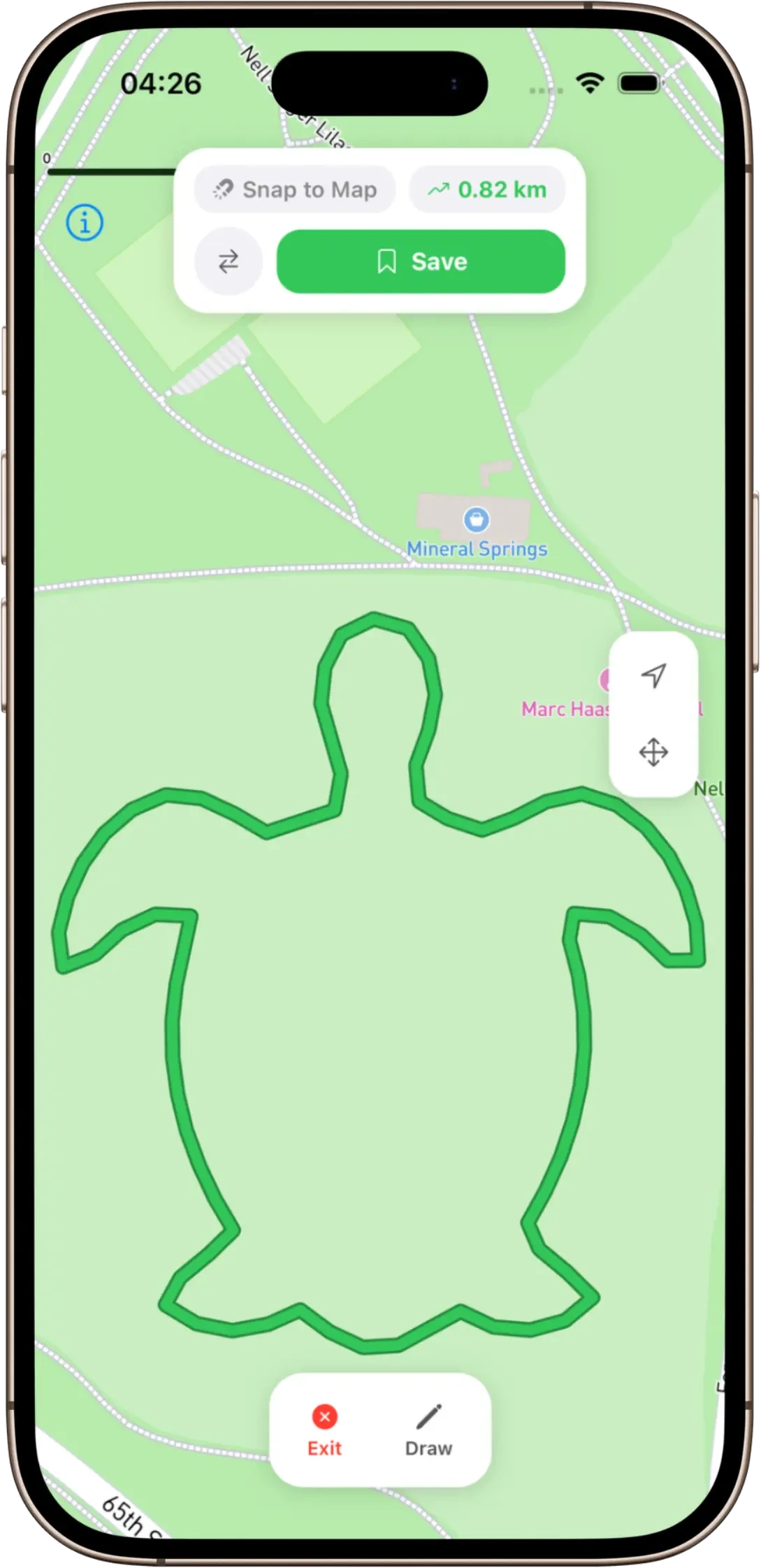


What is GPS art?
You walk, run, or cycle a route. Your phone records where you went. The shape of that route, drawn on a map, is the art. People have run hearts. People have run dinosaurs. Someone in Glasgow ran a recognisable swan.
ArtTrails is a GPS art generator. It does the planning bit, so you only have to do the running bit. Pick a shape, ArtTrails snaps it to actual roads near you, and you go and do it for real. Export the route to Strava, Garmin, or whatever else you already use. The distance is real, the cardio is real. You just get a picture out of it.
Strava art, without the planning headache
The hard part of Strava art was never the running - it was working out a route that actually looks like something when you’re done. Squint at a map, plot a hundred waypoints, run it, find out the legs came out wonky. ArtTrails does that part for you.
Pick a shape and it snaps to real streets near you, so the route is runnable, not a line drawn through buildings and rivers. Then export a GPX, drop it into Strava or Garmin Connect, and run it like any other planned route. The art shows up on your feed when you’re finished.
Trace your own image into a route
Presets are a start, but the good stuff is personal. Upload any image - a logo, a doodle, your dog, your kid’s name in their own handwriting - and ArtTrails traces it into a route you can actually go and run. It’s the difference between “a heart” and “a proposal”.
Image tracing, unlimited snap-to-roads, every map style and an ad-free experience are part of ArtTrails Pro. The shape generator, freehand drawing and GPX export stay free, so you can run your first piece of GPS art without paying a penny.
Made for runners, walkers and riders
If you already log your miles, ArtTrails slots straight in. It plays nicely with Strava, Garmin and Apple Health, works on iPhone and Android, and all you really need is a phone with location on - a watch is optional.
It’s a reason to do the long one on a Sunday, a way to make a recovery walk less boring, and an excuse to finally explore the streets two postcodes over. Same cardio you were going to do anyway. You just get a picture out of it.
How it works
Three steps. No setup, no account, no nonsense.
- 01
Pick a shape
Star, heart, freehand, the rude one. ArtTrails snaps it to streets near you so the route is real, not aspirational.
- 02
Walk or run the route
Real streets, real distance, real cardio. Your phone records the GPS trace as you go. That trace becomes the art.
- 03
Export to Strava (or Garmin)
GPX out. Open it in Strava, sync to Garmin, send to your watch, post the result.
What you get
A GPS art generator that respects your time and your map app.
Shape generator
Pick a shape. Star, heart, the rude one. We snap it to real roads, so it’s a route you can actually run.
Freehand drawing
Or draw anything yourself. Off-road, on-road, no judgement. Your path, your art.
Trace your own image
Upload any photo - a logo, a doodle, your dog - and trace it into a runnable route. Yours with Pro.
GPX export
Export GPX. Open in Strava, Garmin Connect, Suunto, your watch. Whatever you actually use.
Snap to roads
The route hugs real streets and trails, so the run is doable. Not theoretical.
Every map style
Satellite, Dark, Outdoors. See your route the way you want it. Pro.
FAQ
The things people actually ask before installing.
What is GPS art?+
GPS art is a route (walked, run, or cycled) whose shape spells out a picture on a map. Your route is the brushstroke. People have drawn hearts, dinosaurs, names, and the occasional rude shape.
Does ArtTrails work with Strava?+
Yes. ArtTrails exports any route as a GPX file. Drop it into Strava, Garmin Connect, or any app that accepts a GPX. Same way you’d add a planned route from anywhere else.
Is ArtTrails free?+
Free to download and start drawing on iOS and Android - the shape generator, freehand drawing, and GPX export are all free, no account needed. ArtTrails Pro is an optional subscription that unlocks the extras: trace your own uploaded image, unlimited snap-to-roads, every map style (Satellite, Dark, Outdoors), no ads, and unlimited saved routes.
What’s in ArtTrails Pro?+
Pro unlocks the good stuff: upload your own image and trace it into a route (a logo, a doodle, your dog), unlimited snap-to-roads, every map style - Satellite, Dark, Outdoors - an ad-free experience, unlimited saved routes, and early access to new features. The core planning, freehand drawing, and GPX export stay free.
What do I need to use it?+
A phone (iPhone or Android) with location turned on. A watch is optional. If you already use Strava, Garmin, or Apple Health, it slots into that.
Can I draw my own shape, or only pick from presets?+
Both. Use the shape generator for stars, hearts, and the rest, or switch to freehand to draw anything yourself. Roads optional.
Go make something runnable
Pick a shape, snap it to real roads, and run your first piece of GPS art. Free on iPhone and Android.
More from zen magpie
Other small, mean-it products from the same studio.

Stoic Mind
A daily Stoic quote and a calendar of every week you have left. Use as directed.

Monk Mode
A habit tracker without the dopamine slot machine. For people doing the work, not posting about it.

Pomomethod
A Pomodoro timer that gets out of your way. No accounts, no nagging, just you and the next 25 minutes.